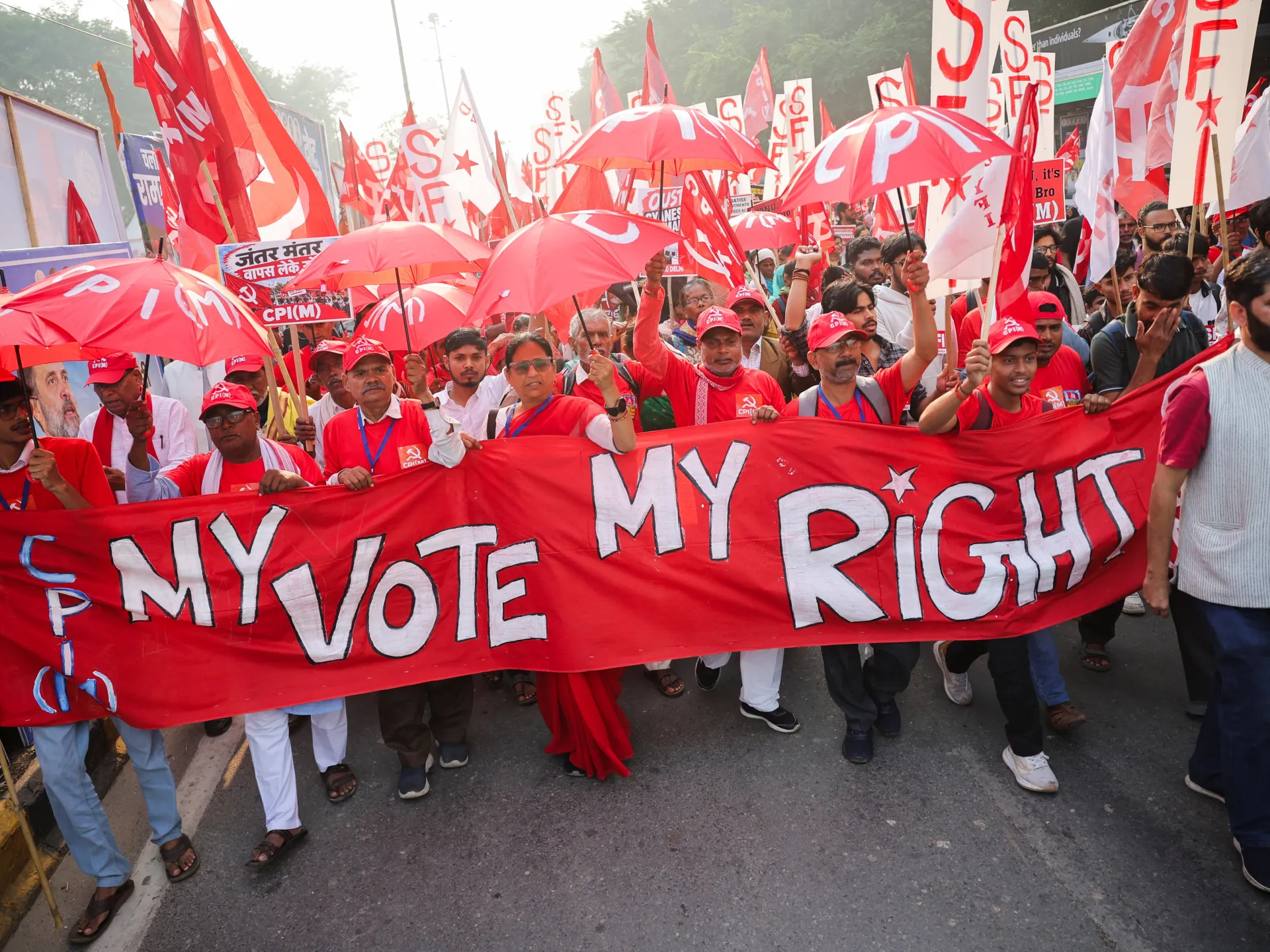
Thousands have marched through New Delhi demanding the resignation of India’s chief election commissioner over changes to voter lists that opposition parties say favour Prime Minister Narendra Modi’s ruling party.
Rahul Gandhi of the Indian National Congress led Sunday’s protest, the latest in more than a month of demonstrations accusing Chief Election Commissioner Gyanesh Kumar of overseeing a biased revision of electoral rolls.
Opposition leaders say the removal of more than 130 million names disproportionately affected Muslims and other minorities, who are less likely to back Modi’s Hindu nationalist Bharatiya Janata Party (BJP).
The Election Commission has denied favouring any party and says voters whose names were wrongly deleted can re-register.
The BJP has accused the opposition of undermining democracy by challenging legitimate procedures.
India’s next general election is scheduled for 2029.
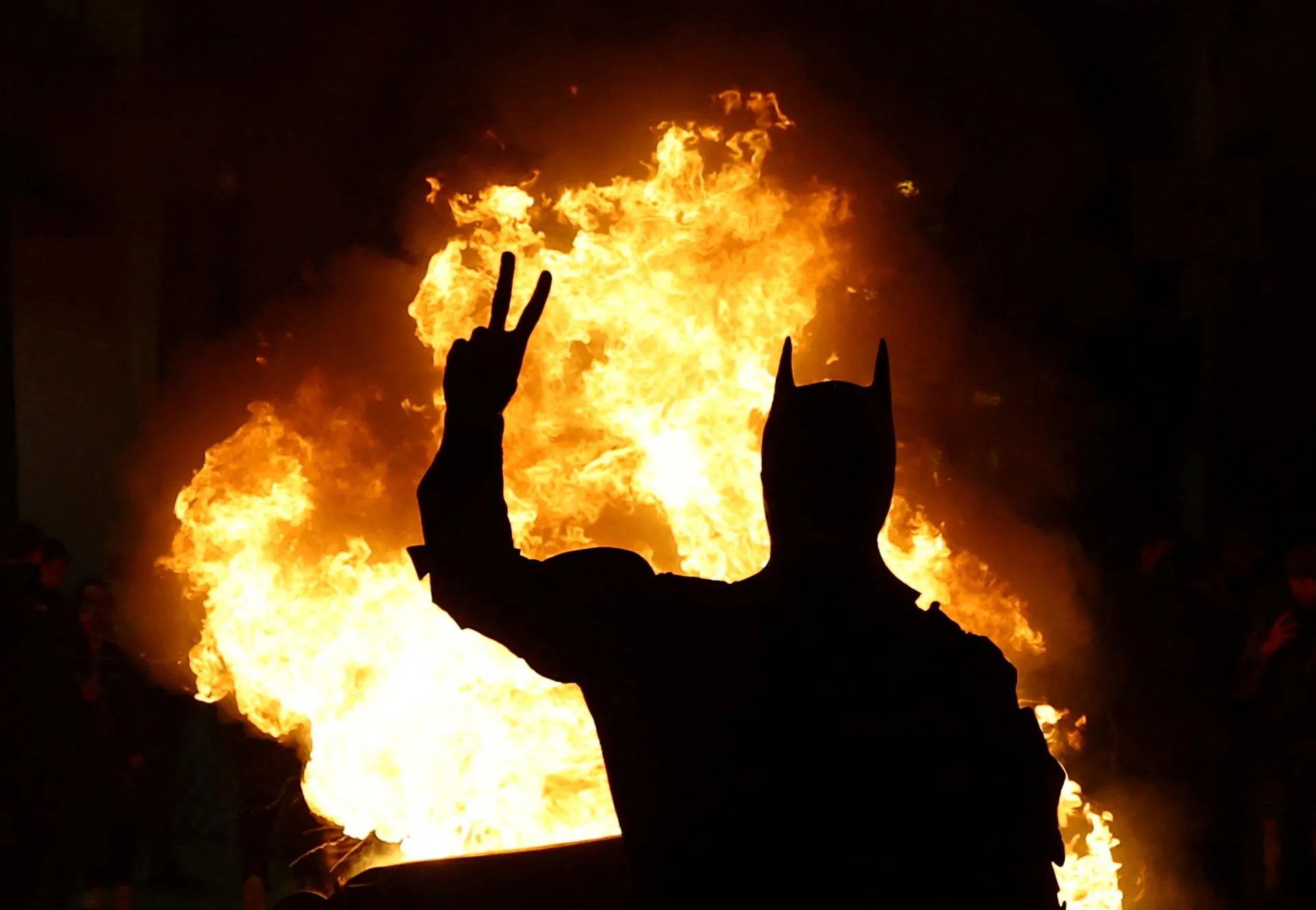
Large demonstrations have taken place across Germany, and some have descended into violence with police firing water cannon at people throwing Molotov cocktails.
Several police officers were injured on Saturday after tens of thousands of people joined youth-led protests across the country organised by the group “Gen Z regelt” (Gen Z has got this).
The demonstrations, inspired by similar movements in France and Italy, remained largely peaceful during the day.
But tensions escalated in the evening as groups of young people refused to disperse. Violence was reported in major cities, including Frankfurt, Berlin, Cologne and Hamburg.
“Gen Z regelt” said about 120,000 people took part in the protests, below the roughly 180,000 it had expected.
Protesters have clashed with riot police in Albania’s capital, as antigovernment demonstrations escalated into violent unrest.
Demonstrations have shaken Tirana since Tuesday, with thousands of protesters calling for Prime Minister Edi Rama to step down as they rally against poor university conditions, high tuition fees and corruption.
This week’s unrest follows months of antigovernment protests in the Balkan nation, initially prompted by a controversial resort development linked to United States President Donald Trump’s family.
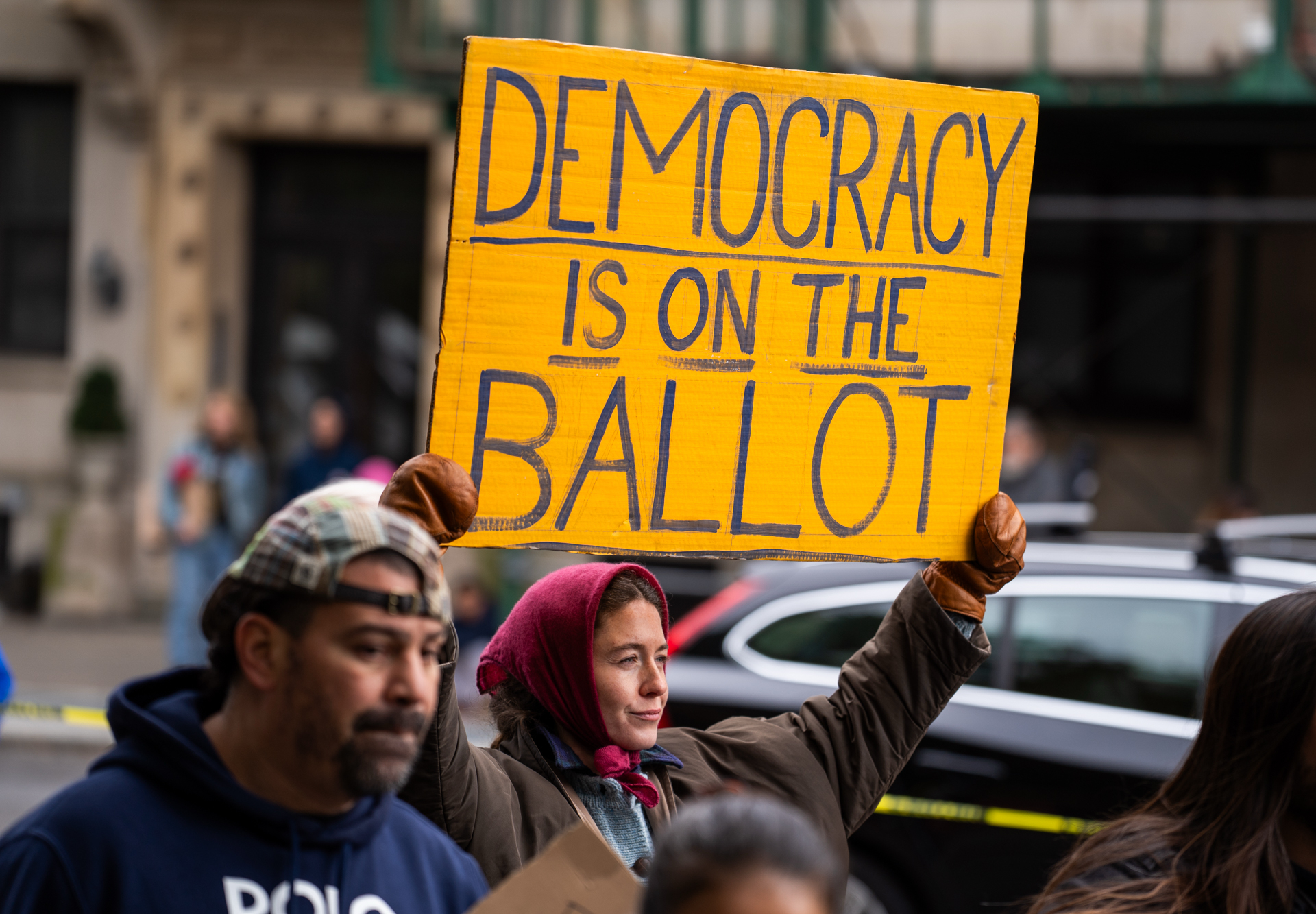
Rallies organised by the No Kings network opposed to United States President Donald Trump were held Saturday in cities and communities across the US, with an aim of getting people out to vote early in the midterm elections.
No Kings has more than 3,000 events planned across the US. The planned events, this time dubbed “No Kings: Vote Early”, were billed as nonpartisan, though they sought to build on nearly two years’ worth of No Kings marches and demonstrations by people upset with Trump’s presidency.
“It’s a day of nonpartisan voter participation: we are bringing our community together to make a plan to vote early and ensuring every eligible voter understands their options for how to vote and has the opportunity to make their voice heard,” organisers said in a statement.
By advocating for voting early, the “No Kings” organisers hope to cut off the potential for any malfeasance once election day rolls around.
A band entertained what appeared to be a few hundred people in caps and coats at the Lincoln Memorial in Washington, DC. Despite the chilly weather, many in the crowd danced to the tunes. “VOTE EARLY” and “HANDS OFF MY VOTE!” were among the many signs held aloft.
At an Atlanta rally, City Councilman Michael Julian Bond told the crowd to urge others to vote ahead of the November 3 general election.
“The Constitution gives you one power, right? That is the power to vote. Are you gonna use that power?” he said.
“You don’t see Superman giving up his power,” Bond continued. “You don’t see Black Panther giving up his power. You don’t see Wonder Woman giving up her magic lasso. So why would you give up your right, your power, your obligation to vote? Be a superhero, use your power. Go to the polls and vote.”
Trump has long been suspicious of mail voting and has claimed without evidence that voting fraud cost him the 2020 presidential election.
His administration sued California election officials Thursday, asking a judge to bar the state from counting mail-in ballots for the midterm elections from people whom the federal government has identified as “likely” noncitizens until their immigration status can be confirmed.
On Friday, the Department of Justice warned that local officials who process and tabulate ballots submitted by suspected noncitizen voters are putting themselves at risk of criminal investigation and potential prosecution.
Earlier that day, Democratic Senators Alex Padilla of California, Sheldon Whitehouse of Rhode Island and Dick Durbin of Illinois wrote to Attorney General Todd Blanche, demanding that the Justice Department commit to not seizing ballots or other election materials before the midterm elections are certified.
Thousands of protesters have marched in New Delhi, demanding the resignation of India’s top election official over alleged misconduct during a voter roll revision.
The demonstrations on Monday marked the latest confrontation with authorities in the heavily fortified capital.
Opposition parties and supporters of the youth-led Cockroach Janta Party protest movement have taken to the streets in recent days, defying a strict security clampdown to demand the government stop deleting voters from the rolls and calling for the resignation of Chief Election Commissioner Gyanesh Kumar.
More than 133 million names have been removed from voter lists since last year, according to media reports. About 969 million people were eligible to vote in India’s 2024 polls.
Critics say the large-scale revision of electoral rolls could benefit Prime Minister Narendra Modi’s ruling Hindu nationalist Bharatiya Janata Party (BJP).
The Election Commission of India, which oversees the voting process in the world’s most populous nation, has denied any wrongdoing.
Authorities deployed thousands of security personnel across central Delhi for a third straight day, erecting heavy metal barricades and closing key metro stations.
Public attention has also focused on the police response, after a weekend in which thousands of protesters, including organisers, were detained, according to local media reports.
Most of those detained, including three top leaders of the Cockroach movement, have since been released.
Several journalists covering the protests said they were detained despite clearly displaying their press cards.
The demonstrations have become a major political challenge for Modi, drawing together opposition parties, student groups and activists angered by the voter roll revision.
Critics say the measure has disproportionately affected minorities, particularly Muslims.
Election authorities say the move was intended to eliminate duplicate, deceased and fraudulent names.
Gaza City – More than 80 percent of Gaza’s buildings have been damaged or destroyed since Israel launched its war on the besieged enclave in October 2023, according to the Palestinian Central Bureau of Statistics, turning whole neighbourhoods into rubble and wiping out much of its infrastructure.
For generations, Gaza’s streets, markets, schools, hospitals and public spaces formed the backdrop to everyday life. They were places where people worked, studied, shopped, met friends and family, and built memories.
Many of the city’s familiar landmarks also carried a much longer history, reflecting Gaza’s thousands of years as a crossroads of different civilisations.
The war has also changed the face of Gaza by damaging or destroying many of those historic and recognisable landmarks.
UNESCO has verified damage to 164 cultural sites since October 2023, including 128 buildings of historical or artistic interest, 14 religious sites, nine monuments, eight archaeological sites, two museums and three depositories of movable cultural property.
Among them are the Great Omari Mosque, Gaza’s oldest mosque, Qasr al-Basha, the ancient Samaritan Bathhouse, al-Qissariya Market and the Church of Saint Porphyrius complex.
Some of these places have been reduced to ruins, while others remain standing but heavily damaged. The destruction has altered not only individual buildings but the streets and neighbourhoods around them, removing landmarks that once helped people recognise and navigate their city.
This photo series contrasts archive images of some of Gaza’s most recognisable streets, markets and public buildings with new photographs taken three years into the war, showing how these familiar places have changed after years of bombardment and destruction.
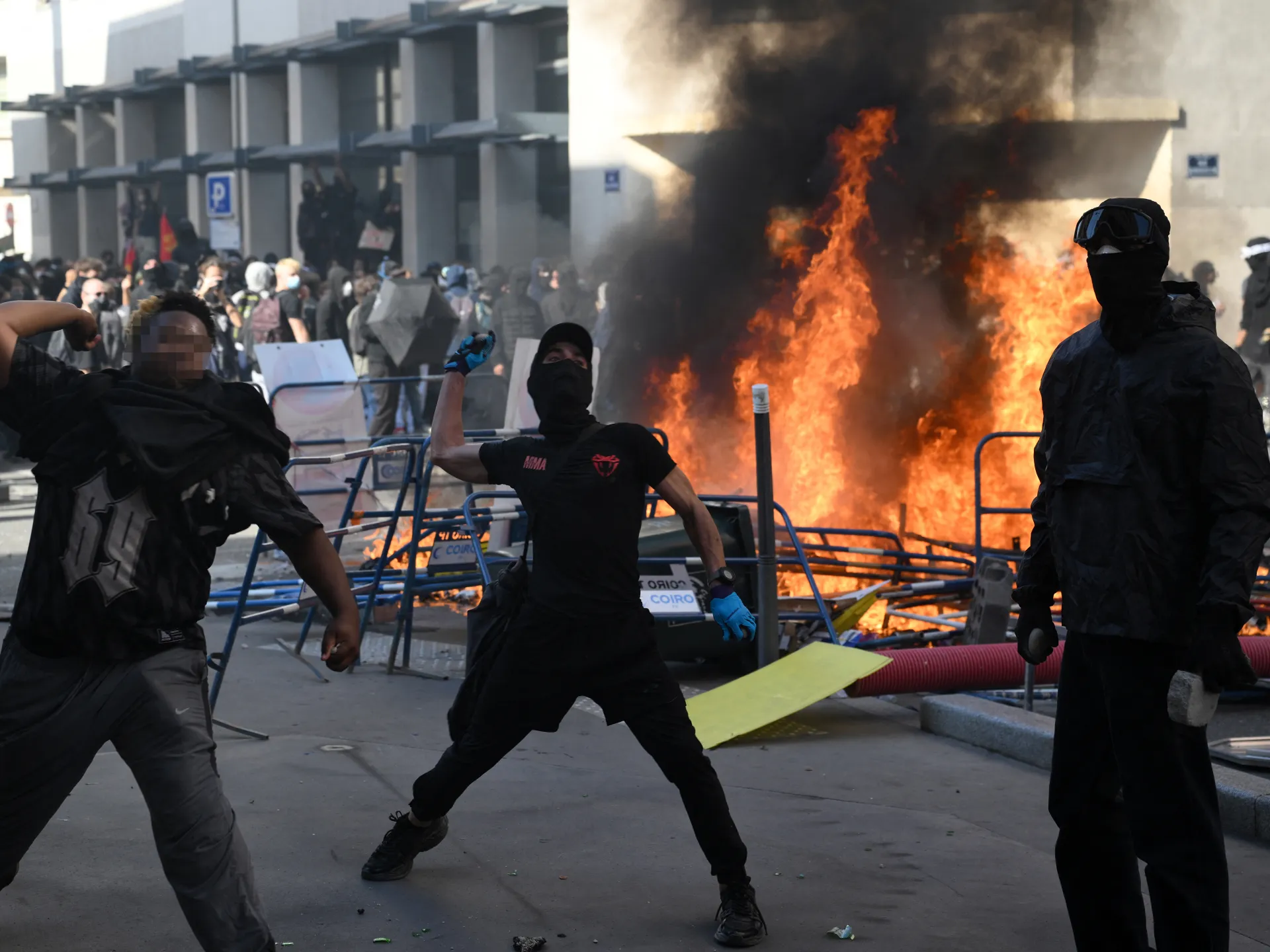
Tens of thousands have taken to the streets across France as unions and teachers joined high school students who, for days, have been demanding better learning conditions in protests punctuated by violent confrontations.
The French Ministry of the Interior said 86,000 people had already joined demonstrations across the country early on Tuesday, while the General Confederation of Labour (CGT) union put the figure at 260,000.
Students have blocked the entrances to hundreds of high schools since late September, complaining of missing teachers, overloaded timetables, dilapidated classrooms and buildings unable to cope with rising temperatures.
While many protests have been peaceful, some demonstrators have started fires, destroyed bus shelters or clashed with riot police.
Police have responded with batons, tear gas and riot-control rounds.
Injuries, investigations
The government says 215 students and 715 police officers have been injured since the start of the movement.
Unions, rights groups and students have accused the authorities of using disproportionate force.
A 15-year-old lost a hand to a stun grenade fired by riot officers in the northern town of Lens on Monday.
Police have launched 10 internal investigations into allegations of brutality since the protests began, Interior Minister Laurent Nunez said late on Monday.
Since the start of the movement, 24 schools have been burned or ransacked, according to the Ministry of Education.
More than 5,000 people, 87 percent of them minors, have been arrested.
Prime Minister Sebastien Lecornu’s office said 85 members of teaching staff have also been injured.
The government is also pushing legislation to make those responsible for damaging public property pay for repairs themselves, instead of using public funds.
Aden, Yemen – In this coastal city long accustomed to sweltering, humid summers, the absence of electricity can reshape an entire day.
When the power cuts out, fans and air conditioners fall silent. Sleep becomes difficult. Students race to finish their homework before darkness arrives. Children spill onto the streets while young men drift towards the sea in search of moving air and cooler waters.
Inside hospitals, where treatment cannot be postponed until the lights come back on, electricity carries a different weight altogether.
Yemen’s power crisis predates the current war. Even before the conflict, only about 55 percent of the population had access to electricity from all sources, which is among the lowest rates in the Middle East and North Africa.
Since 2015, damage to infrastructure, fuel shortages and ageing generation and distribution systems have left supplies even more fragile.
In Aden, power stations continue to face repeated shutdowns, leaving residents without electricity for long periods. Insurance premium increases on tankers carrying fuel to Aden have also reportedly made the crisis worse.
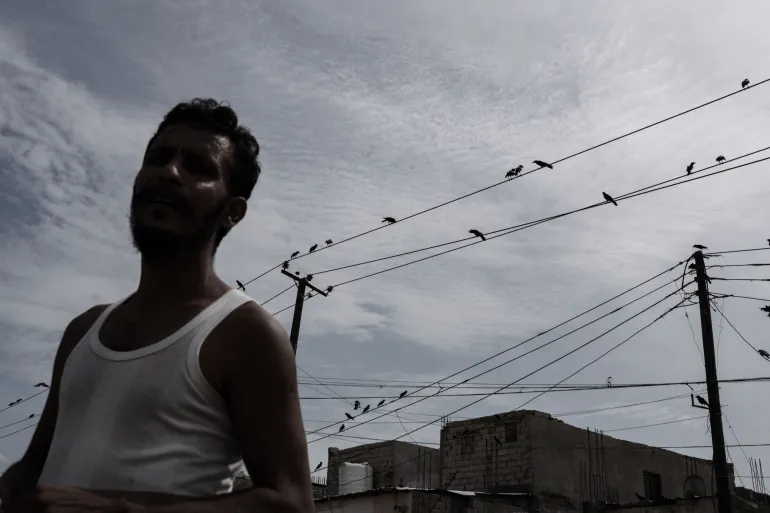
A man walks beneath a web of power lines in a neighbourhood in Aden, where long and frequent power cuts have become part of daily life. [Belal Khaled/Al Jazeera]
An assessment by the International Monetary Fund (IMF) published this year said Aden was receiving just two to six hours of electricity a day as structural weaknesses and fuel shortages caused frequent outages.
As the sun sets over the city, a second part of the day begins. Homes and businesses slip into darkness, punctuated only by small lights powered by batteries and solar systems. Residents often do not know how long the latest blackout will last, or how long the power will stay on once it comes back.
During the summer, when temperatures in Aden climb towards 40 degrees Celsius (104 degrees Fahrenheit), the consequences are hard to escape. Residents in the city interviewed in the middle of the year said their homes had become almost unbearable during the prolonged power cuts that plague the city. The heat does not always disappear when the sun goes down.
After the sun sets in Aden, most of the city falls into darkness with only scattered lights coming from devices powered by batteries or alternative energy systems. [Belal Khaled/Al Jazeera]
“Sometimes the power comes back while we are asleep, so we wake up to use it. Our lives have become tied to when electricity comes and goes,” one resident said. For her family, an outage is measured not just in hours but in problems. Children are unable to sleep, food spoils in warm refrigerators and housework must wait.
When the heat inside becomes too much, Youssef heads for the coast. The sea, he said, is no longer just a place of recreation but a refuge from the unbearable heat of the city.
“When the electricity is off for hours, it is very difficult to stay inside,” he said. “There is no fan and no air conditioning, and the humidity makes the heat worse, so we come to the sea.”
Towards the end of the day, young men and families gather along the waterfront. Some swim. Others simply sit beside the water and wait for the city to cool. But the sea cannot solve Aden’s electricity crisis. Hours later, Youssef returns home and sometimes finds the house exactly as he left it.
“Sometimes we get back and the power is still out, and we start waiting all over again,” he said.
For children like Mohammed, Saeed and Abdullah, blackouts have changed where childhood takes place. When their homes become too hot, they move into the street, running between houses or sitting with other children until late.
A child walks through a neighbourhood in Aden, where a generation has grown up knowing electricity as something that comes and goes rather than being a constant part of daily life. [Belal Khaled/Al Jazeera]
“It gets hot inside the house, so we come down and play in the street,” one of the boys said. “We play football or sit with our friends. Outside is better when the electricity is off.”
For them, a blackout is not an extraordinary event. It is part of the life they have grown up with.
The effects follow them into the classroom. In Aden, the United Nations Development Programme documented more than 7,000 students and teachers struggling in dark, stifling classrooms during power cuts. The installation of solar systems at eight schools and an education office has helped. One teacher reported that some students had fainted due to the heat.
At home, preparing for exams can depend on a rechargeable lamp or a small solar system if they have one.
In hospitals, there is no option but to simply wait out the darkness. Operating theatres, intensive care units, laboratories, medical refrigerators and dialysis machines all depend on continuous power.
The World Health Organization (WHO) says recurring power cuts disrupt lifesaving health services across Yemen, forcing facilities to rely on combinations of grid electricity, generators and solar systems.
In 2025, the WHO supplied about 4.33 million litres (1.14 million gallons) of fuel to 177 health facilities across the country to keep generators and essential equipment running.
An incubator inside a hospital in Aden. At health facilities, power cuts disrupt operating rooms, intensive care units, incubators, laboratories and vital equipment that depend on continuous electricity. [Belal Khaled/Al Jazeera]
Zeina Ahmed, a kidney patient, watches tubes carry her blood to a dialysis machine.
“For people at home, a power cut means heat and darkness. For us here, the first thing we think about is whether we will be able to have our dialysis or not,” she said.
“I come to the hospital knowing that I need this session. If it is delayed, I keep thinking about when I will get it and whether the machines will continue to work.”
After years of unreliable grid supply, solar panels, batteries and generators have become familiar parts of Yemen’s landscape.
They sit on rooftops, providing power to the homes, businesses and schools that can afford them.
More than half of Yemen’s homes now rely on solar power in some form, according to the WHO, while hospitals and other health facilities are increasingly adopting solar systems to keep essential services running.
Families who can afford to buy larger panels and batteries can power more appliances. Others might have just enough electricity for a light, a fan or a phone charger – a fragile shield against the dark and the heat.
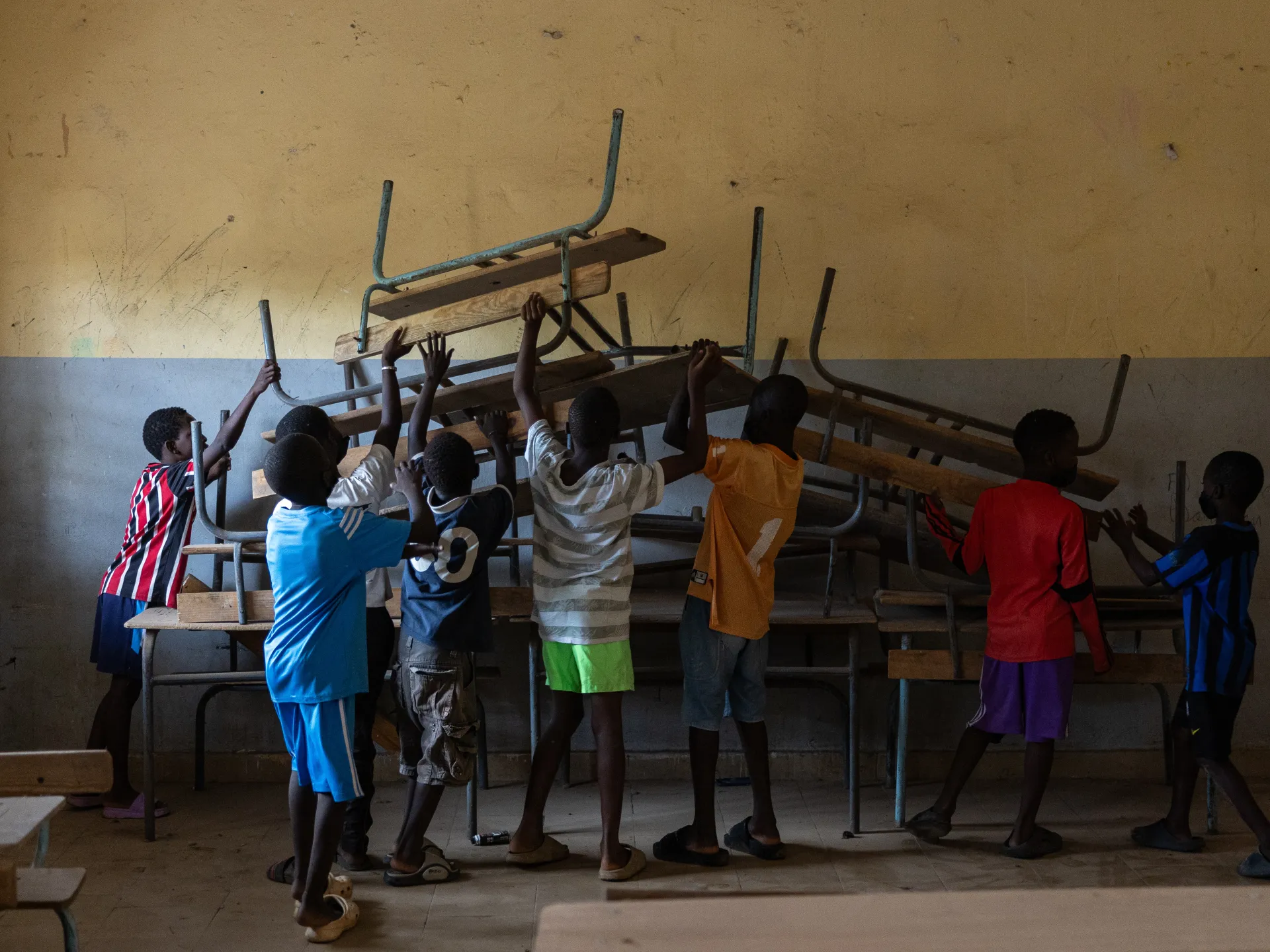
Students, teachers and volunteers in a working-class Dakar neighbourhood have joined forces to clean up the dilapidated Medina Gounass Elementary School in advance of the new academic year, highlighting wider concerns over public education and sanitation in Senegal’s capital.
On Saturday, pupils, members of environmental organisations and residents swept classrooms, cleared drains and collected piles of plastic and household waste from the school in Medina Gounass, a densely populated suburb of Dakar.
The initiative comes as the 2026-27 school year is set to begin on Monday for staff and Tuesday for students.
Footage from the scene shows young students wielding brooms and shovels alongside older volunteers.
Medina Gounass, like many outlying districts of Dakar, struggles with inadequate waste management, blocked drainage and overcrowded classrooms, problems that often worsen during the rainy season.
Organisers say the cleanup is meant not only to ready the school for reopening but also to raise awareness among students and residents about the importance of environmental protection and shared responsibility for public spaces.